

How to create a home inventory (and actually keep it updated)
A home inventory is a record of what you own, where it is, and what it is worth. With loggit you photograph an item, place it in a room or spot, add value, notes, receipts, and warranty dates, then find it later by searching or scanning. Building it room by room keeps the job manageable.
Start with one room, not the whole house
Most home inventories fail because people try to log everything in a single weekend. Pick the room with the highest-value or hardest-to-replace contents — usually the living room, home office, or garage — and finish it before moving on.
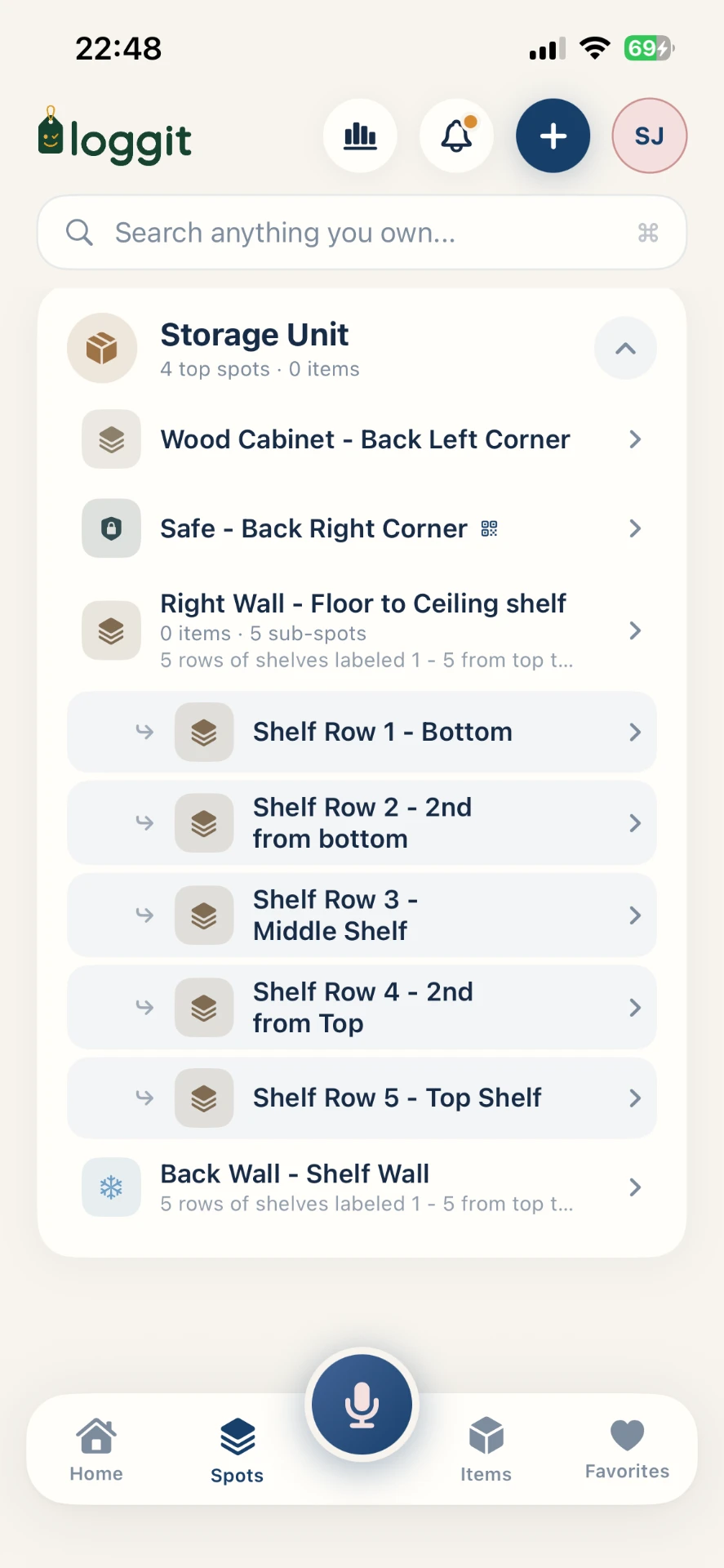
In loggit, create the home as a location, then add rooms underneath it. Inside a room, add spots: a closet, a shelf, a filing cabinet, a specific bin. Items live in spots, so a search answers the real question, which is not "do I own it" but "where is it right now".
- Create the location: 123 Maple St.
- Add rooms: garage, office, primary closet, attic.
- Add spots inside each room: shelf A, blue bin, tool chest drawer 2.
- Log items into spots as you go, one shelf at a time.
Capture items fast with photos and barcodes
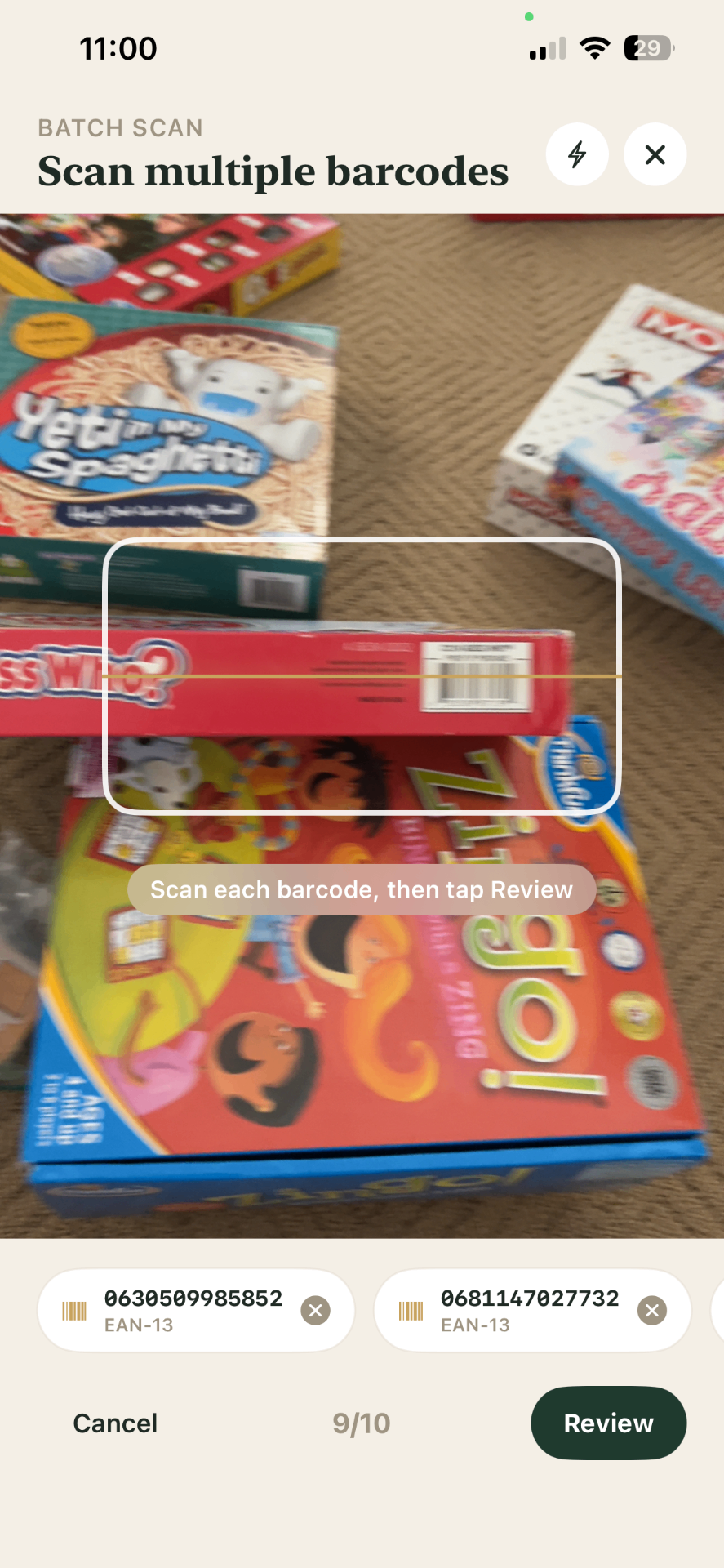
Speed matters more than perfection on the first pass. Use Smart Add to photograph an item or scan its UPC, EAN, or ISBN barcode; loggit suggests a name, category, and details that you review before saving. Nothing is saved without your confirmation.
For a first pass, a photo, a name, and a spot are enough. You can enrich records later with serial numbers, purchase dates, and receipts once the room is covered.
Record the details that matter later
The fields you will wish you had filled in are the boring ones. When you go back for a second pass, prioritize items over a few hundred dollars, anything with a serial number, and anything still under warranty.
- Serial or model number for electronics, tools, and appliances.
- Purchase date and price, so your recorded value is grounded in something real.
- A photo of the receipt attached to the item record.
- Warranty expiration, with a reminder so it does not quietly lapse.
- Condition notes and any damage that predates a claim.
Use value tracking as an estimate, not an appraisal
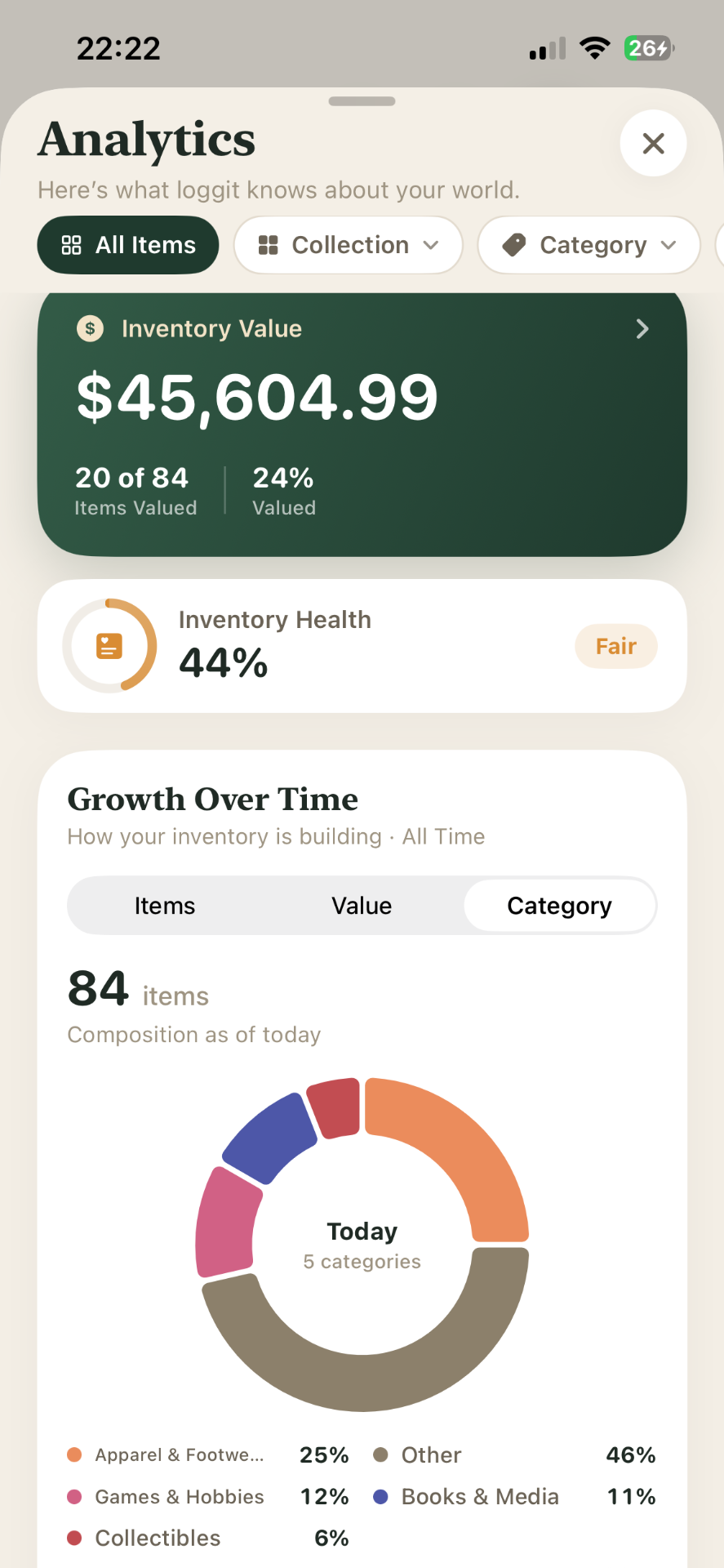
loggit totals the values you enter, by room, by category, and across the whole home, so you can see where your money actually sits. That total is only as good as the numbers you type in.
It is genuinely useful for insurance preparation conversations and for knowing whether your coverage is in the right ballpark. It is not an appraisal.
Keep it current with small habits
An inventory decays if updating it is a project. Tie it to things you already do: log a purchase while the box is still open, log a donation while the bag is by the door, and do a fifteen-minute sweep of one room each season.
Exports are worth running periodically as a personal backup and as a shareable snapshot when you actually need one.
Frequently asked questions
Keep reading
loggit is an organization tool, not a certified appraisal, insurance, legal, or financial service. Values you record are your own estimates. For coverage decisions, claims, settlements, or tax matters, work with a licensed professional. Questions about your data? Read the loggit privacy policy or contact loggit support.